With Yacapaca approaching the end of its service, you may want to preserve the work you have put in over the years by export the assessments you have authored. Although there is no formal ‘export’ feature, there is an easy workaround using ChatGPT, and I have made a very short screencast to show you how:
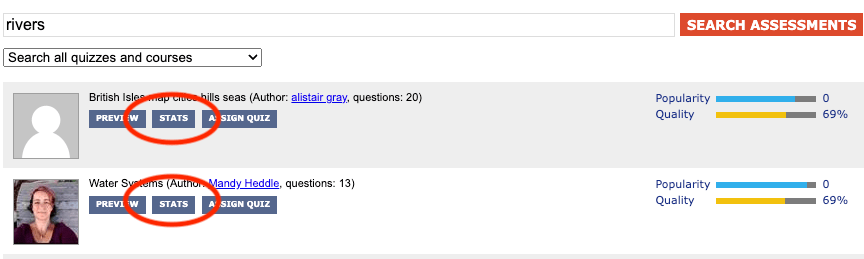
You can also export any assessments you use or rely on, even if you are not the author, because they are all published under a Creative Commons sharealike license. The trick is to use the ‘Stats’ button, rather than the ‘Edit’ button.
With ChatGPT you can more than just export and tidy up a quiz. Here are some things I have experimented with:
- Convert questions from multiple choice to cloze (gap fill) or vice-versa.
- Extend the quiz with more similar questions, without having to write them!
- Fix spelling or grammar issues (only in other authors’ quizzes, of course <ahem>).
- Encode into specific formats required for import by other systems.
- Add feedback statements for students.
Try it, and if you find a clever workaround, please add it in the comments below!
 Chalkface Blog
Leave a comment