Chalkface Blog
The best teaching materials in the most practical format.
Tag: results
-
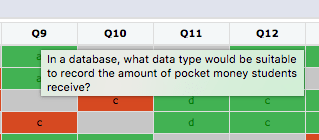
If you want a per-student, per-question, per-attempt view of your results, come to Assignments tab -> Results -> Results in Detail You will see you have the traditional traffic-light colour-coding for correct, partial and incorrect answers. Grey cells are questions that were not presented. The Yacapaca model is that each quiz is a randomised selection…
-

There are three major, and several minor, results pages in Yacapaca. Ordered by level of detail, the major pages are the Gradebook, Activity Log and Detail. Gradebook This is your overview for a complete student set, for a whole
-
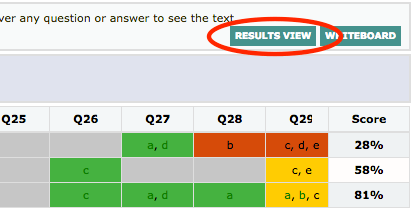
Whilst running this term’s authoring CPD, I started getting really bugged that to get from the Activity Log view to the Detail view, I had to go via the Assignments page and Actions dropdown. We’ve never had a single complaint about this, so maybe it’s just me, but nevertheless, time to do something about it. So,…
-
Keep it short. Students will do 5 minutes per day quite happily. Keep your assignment to a single quiz, at least until you have feedback from the students. Explain the principle to your students. They many not be used to homeworks that enforce a daily routine, and some will moan like heck at you that…
-
I am really excited about these two new metrics added to the Results page. They give you a view of each student you have not had before, and which you can use today to improve the quality of their
 Chalkface Blog