If you want to deliver a traditional summative test, use Exam Mode.
Exam Mode excludes
- multiple attempts
- right or wrong notification after each question
- formative feedback after each question
but is otherwise the same as any other Yacapaca quiz. To assign in Exam Mode, change the Mode default in the assigning sequence, thus…
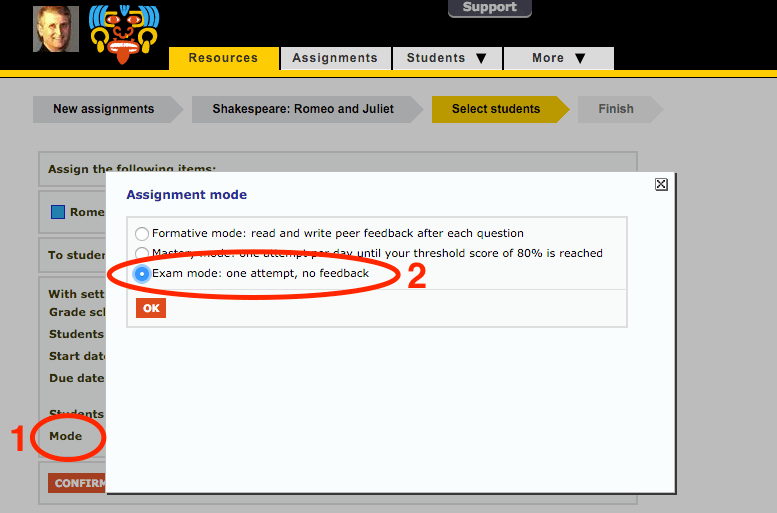
Students will see this in their to-do lists. It looks just the same as a quiz apart from the square bullet point being yellow:

When assigning please remember:
- the test will take about half the time you are used to, because of the lack of feedback.
- a quiz with more than 20 questions will not give you a reliable summative result. It is very hard to maintain 100% attention beyond this point, without at least a 5-minute break. If you need more questions, split them into multiple quizzes.
 Chalkface Blog
Leave a reply to Tutorial 4: Types of assignment | Yacapaca Cancel reply