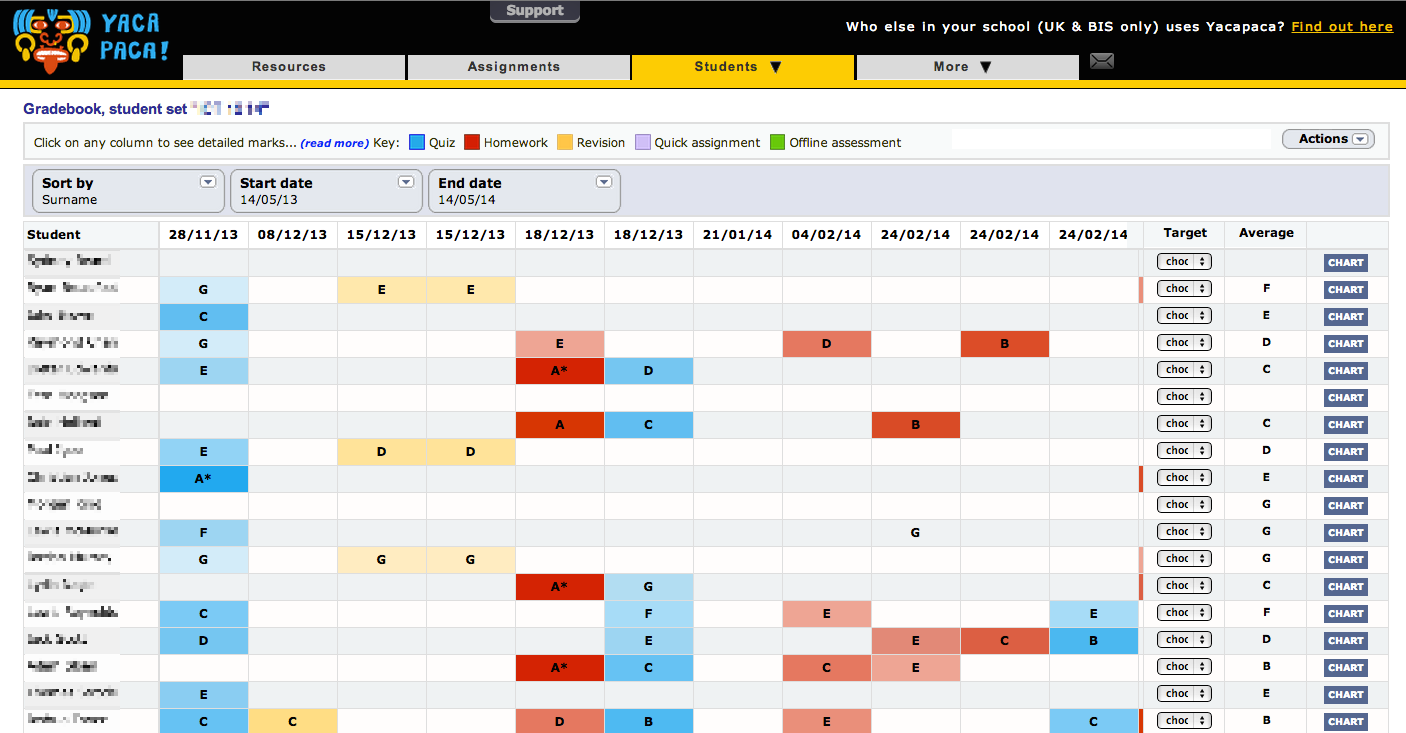
Today we launched a redesigned Gradebook that gives you a lot more information at a glance.
Columns are colour-coded for assignment type. In the example above, you can see (R-L) a quiz, revision x3, homework, quiz, homework x3, quiz. The colour code for quizzes has been changed throughout Yacapaca from orange to blue; it is easier on the eye. You will see this most prominently in the Assignments list.
The strength of the colour indicates the grade. You can see above that A* is quite a deep red or blue; G is very pale. This works across all gradeschemes.
We had a lot of fun making the new Gradebook, and we hope you like it too!
P.S. a reminder: with a tablet or trackpad, scroll the centre pane of the Gradebook with a two-finger swipe.

 Chalkface Blog
Leave a reply to How the results pages fit together | Yacapaca Cancel reply